
苹果支持文档介绍了如何根据国家或地区识别 Apple 键盘布局,并可作为了解近期美国版键帽标签变化的补充参考。
Some keyboard layouts are only available in certain countries or regions.
If you need keyboard replacement or repair, contact Apple or a service provider.
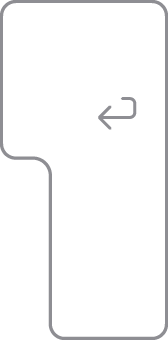
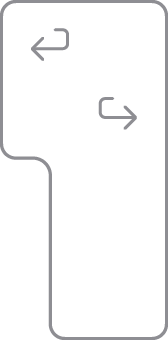
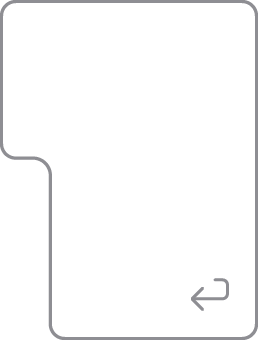
Find the key that has the word “return” or the return-left symbol printed on it. The key should look like one of the options below:
If your Return key looks like one of the images below, you have an ANSI keyboard:


If your Return key looks like one of the images below, you have an ISO keyboard:
If your Return key looks like the image below, you have a Japanese keyboard:
Find the Tab key or the key with the tab symbol  . The Q key to the right should look like one of the options below and will help you to identify your keyboard layout:
(if the Caps Lock key is below the Tab key)

(if the 中/英 key is below the key)


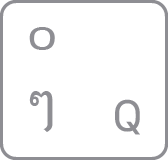

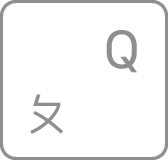
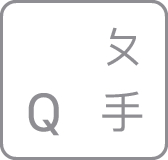
Find the Tab key or the key with the tab symbol . The key to the right should look like one of the following options and will help you identify your keyboard layout:







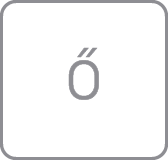
The key to the right of the L key should look like one of the following options and will help you identify your keyboard layout:


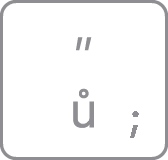







Find the key with P printed on it. The key to the right should look like one of the following options and will help you identify your keyboard layout:





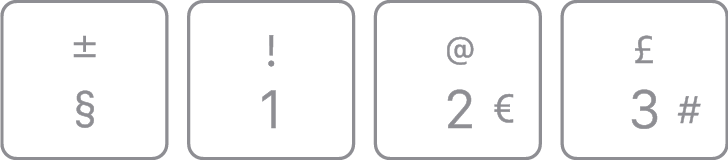
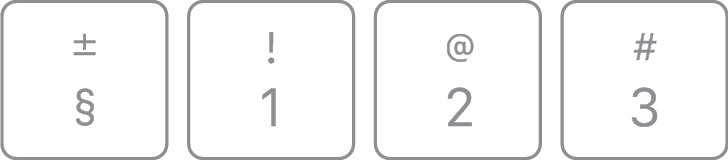
Look at the keys near the upper-left corner of the keyboard. The keys should look like one of the following sets and will help you identify your keyboard layout:


Published Date: November 17, 2023